 TALLY
TALLY
Shared expenses that stay between you.
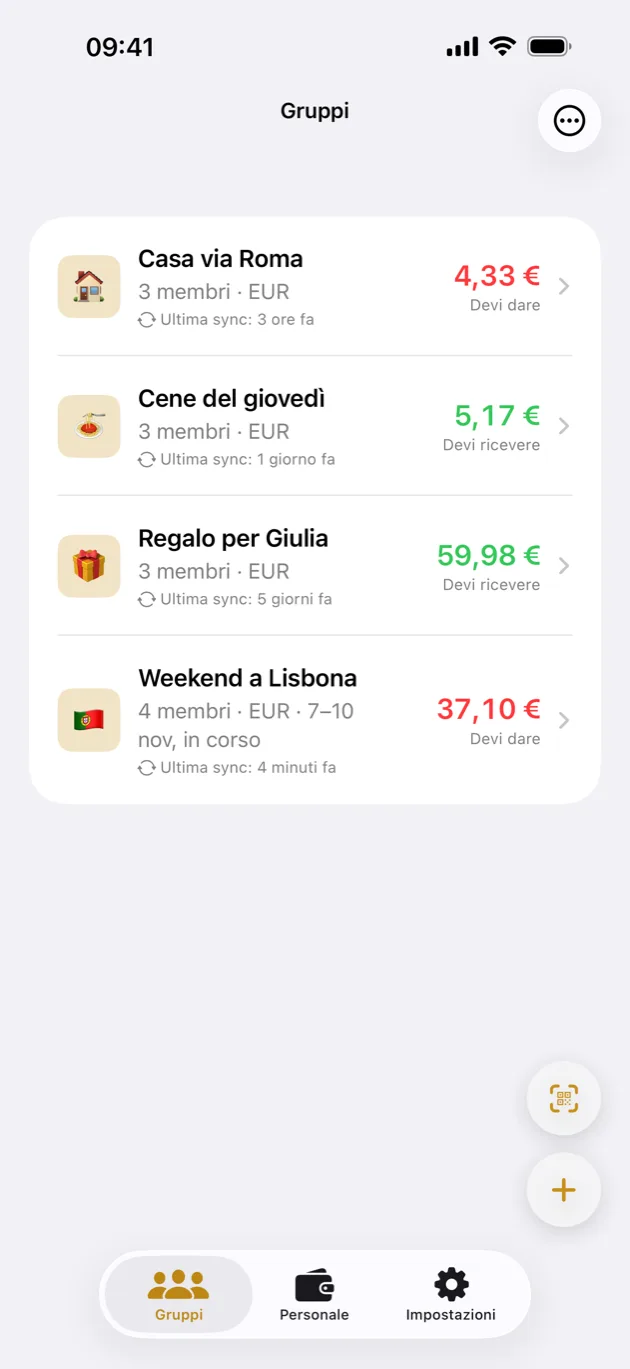
Split costs with family, flatmates and friends — with no account, no server and no cloud. The group's ledger lives on your phones and syncs by itself when you are near each other.
Spese condivise che restano fra voi.
Dividi le spese con la famiglia, i coinquilini e gli amici — senza account, senza server, senza cloud. Il registro del gruppo vive sui vostri telefoni e si sincronizza da solo quando siete vicini.

Everything a shared ledger needs — and nothing that needs a server.
Create a group and show the code. Whoever scans it is in, with the ledger copied straight onto their phone. No invite links, no email addresses, nothing to sign up for.
Phones that are near each other exchange expenses over Wi-Fi, directly — keep Wi-Fi and Bluetooth on and they find each other on their own, with no internet involved. There is no backend to go down, and no company holding your ledger. At a distance the group can also go through iCloud, always encrypted.
Every exchange is sealed with the group's own key before it leaves the device. Only the people holding that key can read it.
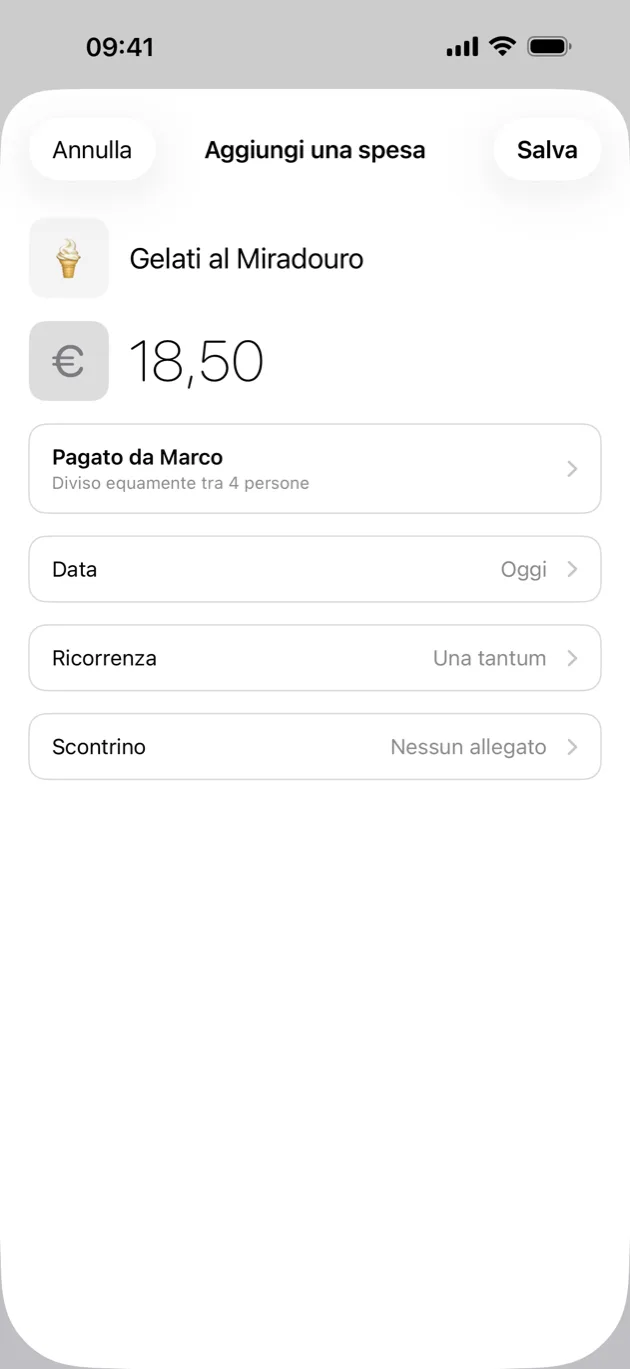
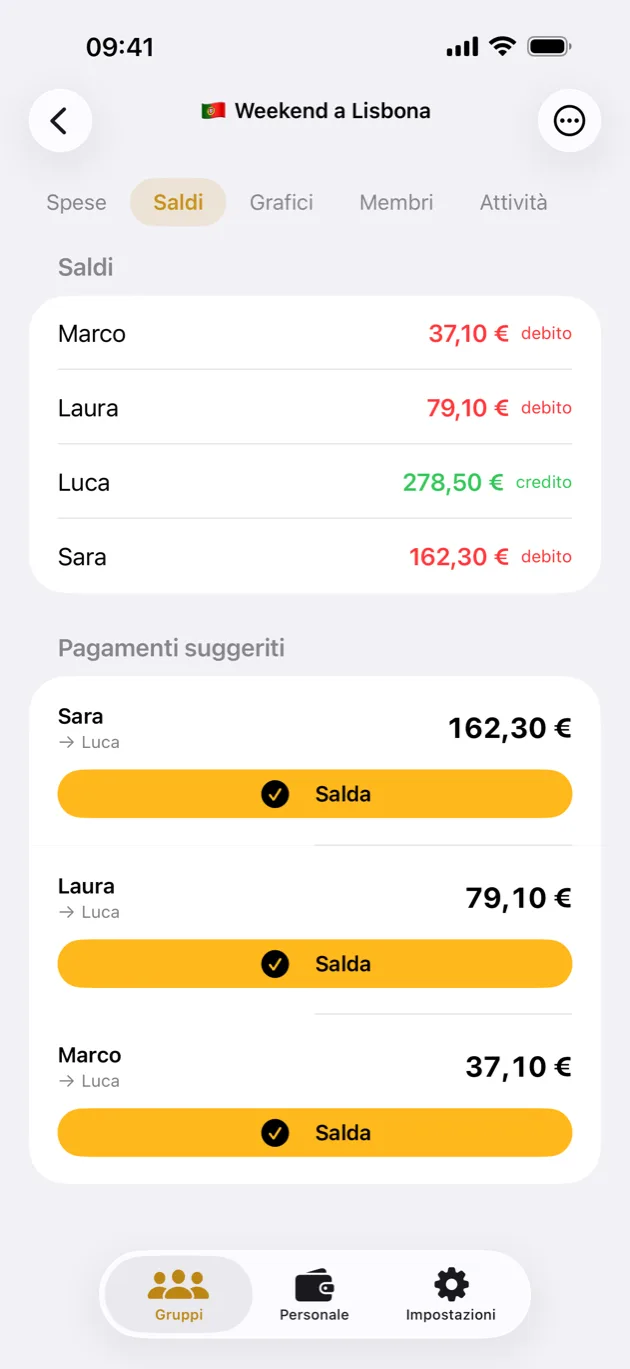
Balances update as you go, and the debts are simplified: if you owe Anna and Anna owes Marco, you pay Marco once and it is done.
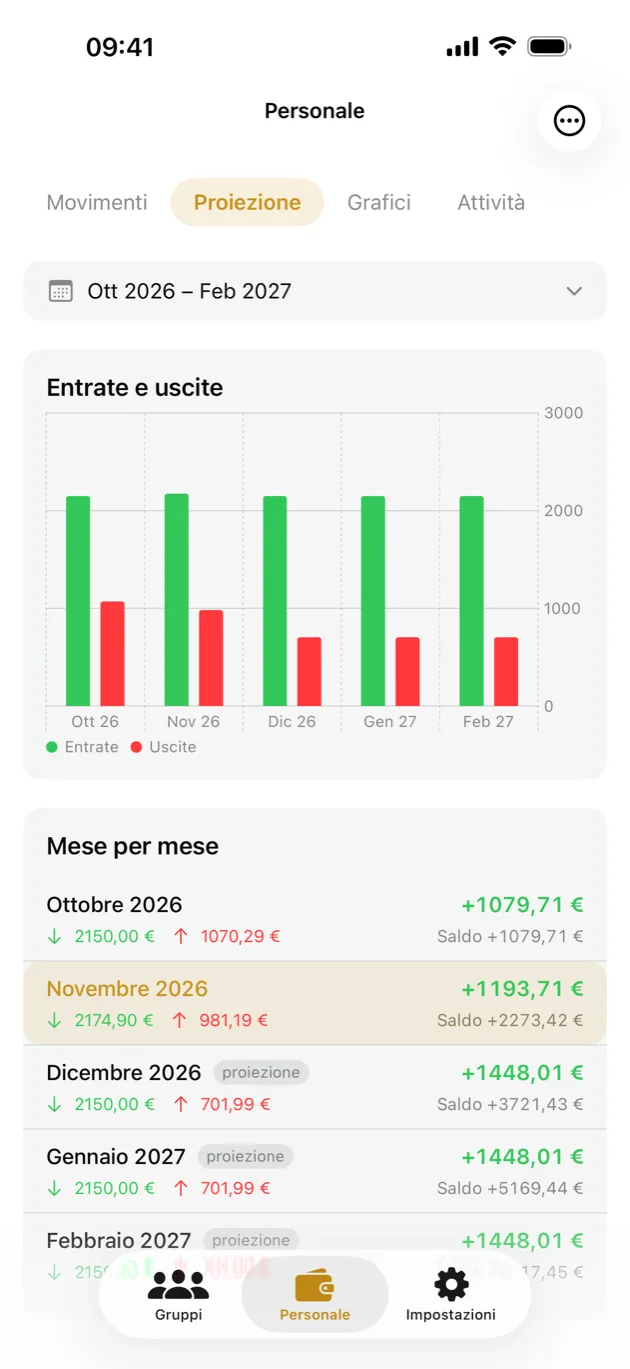
Personal keeps your own spending and income beside the shared ones, month by month, with a projection of where you are heading.
Photograph a receipt and the amount is read on the device. See where the money went by category and period, and export it all as CSV.
Give the group a start and an end. The evening before you leave, TALLY reminds you to check that everyone is in; on the morning of the last day, only if debts are still open, to settle up while you are still together.
Rent and subscriptions repeat on their own — every week, month or year. An expense in another currency is converted at the rate you enter.
Face ID or your passcode to open the app. Widgets show your balances, or add an expense to a group with one tap.
Tutto quello che serve a un registro condiviso — e niente che richieda un server.
Crea un gruppo e mostra il codice. Chi lo inquadra entra, e il registro viene copiato sul suo telefono. Nessun link d'invito, nessuna email, niente a cui iscriversi.
I telefoni vicini si scambiano le spese via Wi-Fi, direttamente — con Wi-Fi e Bluetooth accesi si trovano da soli, anche senza rete. Non c'è un server che possa cadere, né un'azienda che tenga il vostro registro. A distanza il gruppo può passare anche da iCloud, sempre cifrato.
Ogni scambio viene sigillato con la chiave del gruppo prima di lasciare il dispositivo. Solo chi ha quella chiave può leggerlo.
I saldi si aggiornano mentre inserisci, e i debiti vengono semplificati: se devi ad Anna e Anna deve a Marco, paghi Marco una volta sola.
Personale tiene le tue spese e le tue entrate accanto a quelle condivise, mese per mese, con la proiezione di dove stai andando.
Fotografi uno scontrino e l'importo viene letto sul dispositivo. Vedi dove sono finiti i soldi per categoria e periodo, ed esporti tutto in CSV.
Dai al gruppo un inizio e una fine. La sera prima della partenza TALLY ti ricorda di controllare che ci siano tutti; la mattina dell'ultimo giorno, solo se restano debiti aperti, di saldare finché siete ancora insieme.
Affitto e abbonamenti si ripetono da soli: ogni settimana, ogni mese, ogni anno. Una spesa in un'altra valuta si converte con il tasso che inserisci tu.
Face ID o il codice del telefono per aprire l'app. I widget mostrano i tuoi saldi, o aggiungono una spesa a un gruppo con un tocco.
See TALLY in action.
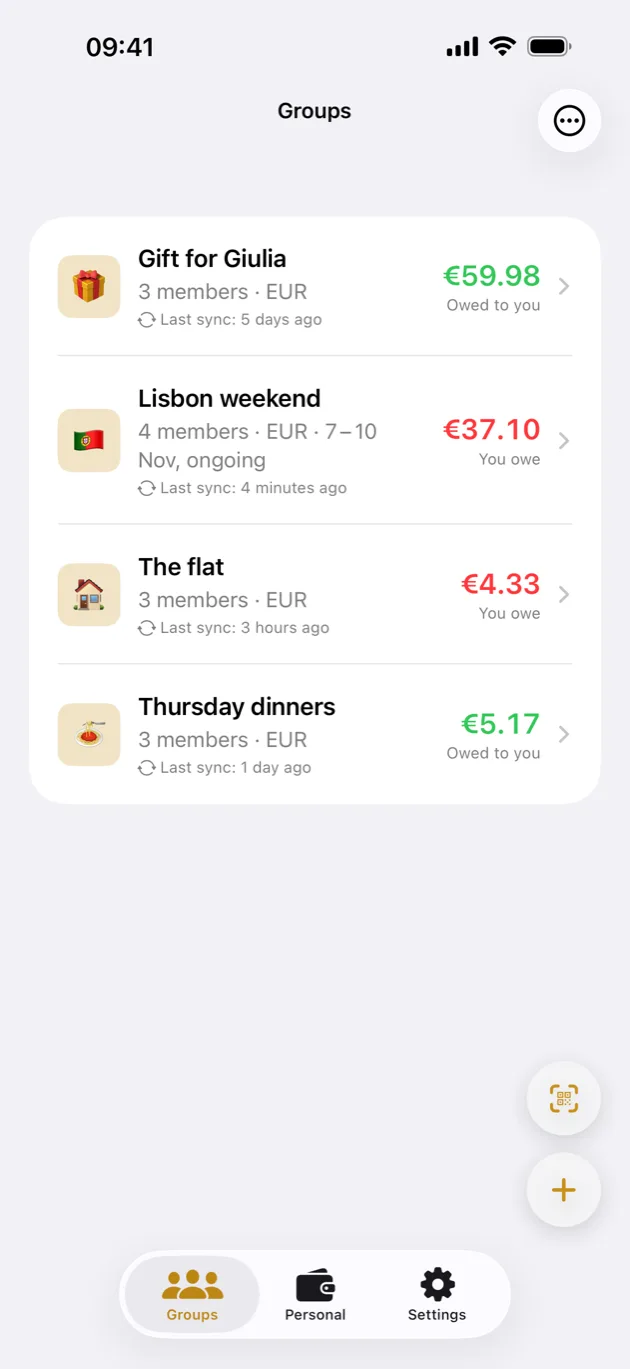
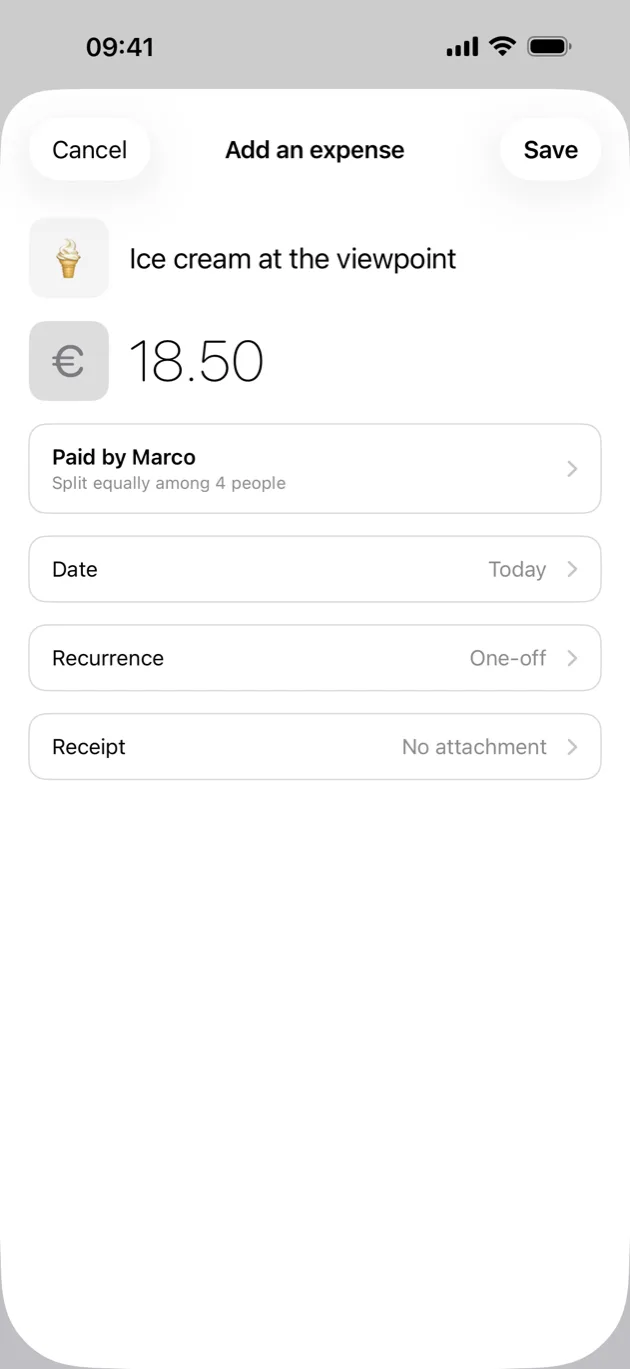
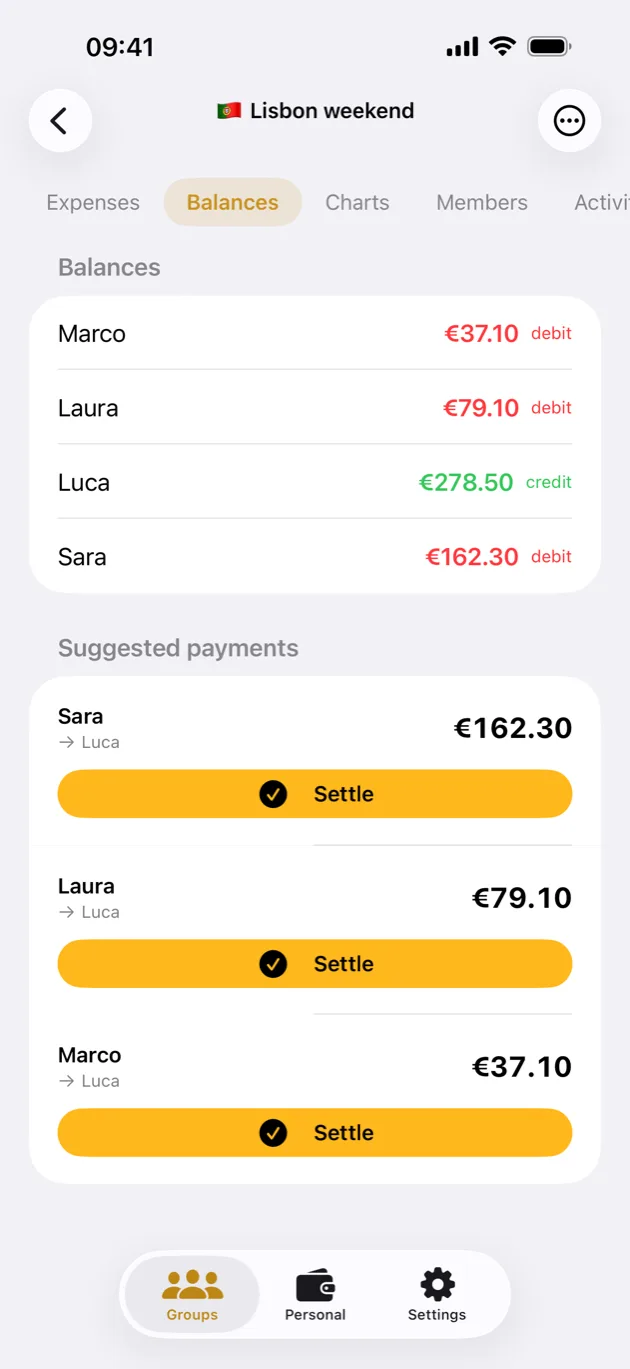
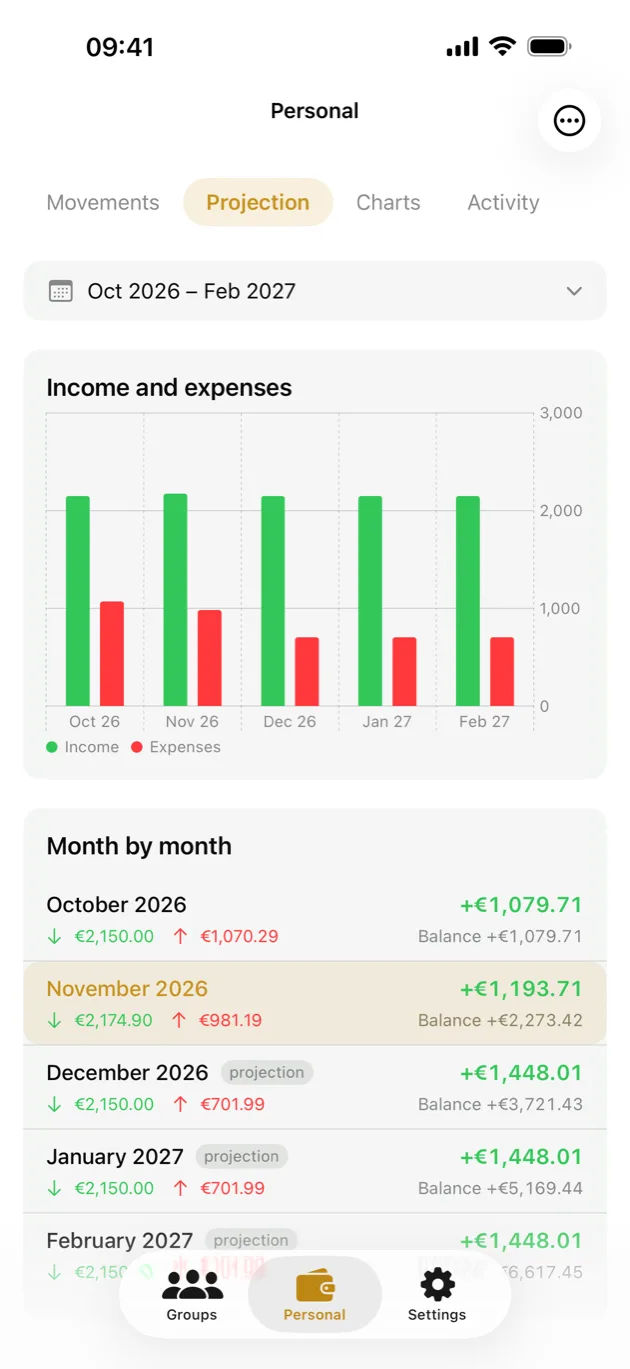
TALLY in azione.
The oldest way of keeping accounts needed no company in the middle either.
A tally was a notched stick split lengthwise, one half each. Put them side by side and the notches lined up — proof neither party could forge alone.
Splitting a pizza with friends should not require signing up, handing over an email, and leaving a record of your spending on someone's server.
Not a smaller server, or a better-behaved one: none. Devices talk to each other, so there is nothing in the middle to trust, to breach, or to shut down.
The ledger lives on the phones of the people in the group, encrypted with a key only they hold. It works on a plane, and it keeps working if this app disappears tomorrow.
Il modo più antico di tenere i conti non aveva bisogno di un'azienda in mezzo.
La taglia era un bastoncino intagliato e spaccato per il lungo, una metà a testa. Riavvicinandole le tacche combaciavano: una prova che nessuno dei due poteva falsificare da solo.
Dividere una pizza tra amici non dovrebbe richiedere di registrarsi, lasciare un'email e depositare la traccia delle proprie spese sul server di qualcuno.
Non un server più piccolo o più educato: nessuno. I dispositivi si parlano fra loro, quindi non c'è niente in mezzo di cui fidarsi, da violare o da spegnere.
Il registro vive sui telefoni di chi è nel gruppo, cifrato con una chiave che hanno solo loro. Funziona in aereo, e continua a funzionare se domani quest'app sparisce.
What people usually ask before trying TALLY.
No. TALLY has no account and no sign-up. You only need an iCloud account if the group turns on sync at a distance, and it is the Apple one you already have.
On the phones of the people in the group, and nowhere else. If the group turns on sync at a distance they also pass through the iCloud of one of its members, already encrypted, and stay there for at most 30 days: neither Apple nor we can read them.
Nearby, you need Wi-Fi and Bluetooth on, on both phones, even without internet and even on different networks. Bluetooth does not carry the expenses, but it is how the phones find each other: if it is off, they cannot see each other.
Yes, if the group chooses to. One member turns on sync at a distance from Edit group, and expenses pass through their iCloud. Whoever joins later finds it in the QR code; whoever was already in the group receives it at the first sync from nearby.
By scanning the QR code of someone who is already in it, and picking your own place among the free ones. The QR code holds the group's key and whoever scans it gets in, so treat it like a password.
No. To start syncing again you rejoin each group by scanning its QR code again, because group keys are deliberately kept out of every backup. The group's expenses come back to you from the other members.
The group stays on your phone as read-only, with your expenses and your name, and stops syncing. You can come back whenever you like. Any open balance has to be settled first.
Yes: export the CSV from Splitwise and import it into TALLY. And you can export your groups to CSV whenever you like.
TALLY is free, with no ads and nothing to unlock, and a Tip Jar for anyone who wants to support it. It works on iPhone and iPad with iOS 26 or later; there is no Android version.
Quello che di solito ci si chiede prima di provare TALLY.
No. TALLY non ha account né registrazione. Un account iCloud serve solo se il gruppo accende la sincronizzazione a distanza, ed è quello Apple che hai già.
Sui telefoni delle persone del gruppo, e da nessun'altra parte. Se il gruppo accende la sincronizzazione a distanza passano anche dall'iCloud di uno dei membri, già cifrate, e ci restano al massimo 30 giorni: né Apple né noi possiamo leggerle.
Da vicino servono Wi-Fi e Bluetooth accesi, su tutti e due, anche senza internet e anche su reti diverse. Il Bluetooth non trasporta le spese, ma serve perché i telefoni si trovino: se è spento non si vedono.
Sì, se il gruppo lo sceglie. Un membro accende la sincronizzazione a distanza da Modifica gruppo, e le spese passano dal suo iCloud. Chi entra dopo la trova nel QR, chi c'era già la riceve alla prima sincronizzazione da vicino.
Inquadrando il QR di chi c'è già, e scegliendo il proprio posto fra quelli liberi. Il QR contiene la chiave del gruppo e chi lo inquadra entra, quindi va trattato come una password.
No. Per ricominciare a sincronizzare rientri in ogni gruppo inquadrando di nuovo il suo QR, perché le chiavi dei gruppi restano apposta fuori da ogni backup. Le spese del gruppo ti tornano dagli altri membri.
Il gruppo resta sul tuo telefono in sola lettura, con le tue spese e il tuo nome, e smette di sincronizzarsi. Puoi rientrare quando vuoi. Prima vanno regolati i saldi aperti.
Sì: esporti il CSV da Splitwise e lo importi in TALLY. E puoi esportare i tuoi gruppi in CSV quando vuoi.
TALLY è gratis, senza pubblicità e senza niente da sbloccare, con un Tip Jar per chi vuole sostenerla. Funziona su iPhone e iPad con iOS 26 o successivo; per Android non c'è.